

Billing
Billing shows your team’s plan, how much of its allowance it has used, and its payment history. Billing belongs to the team, so if you’re in several teams, switch to the right one first.
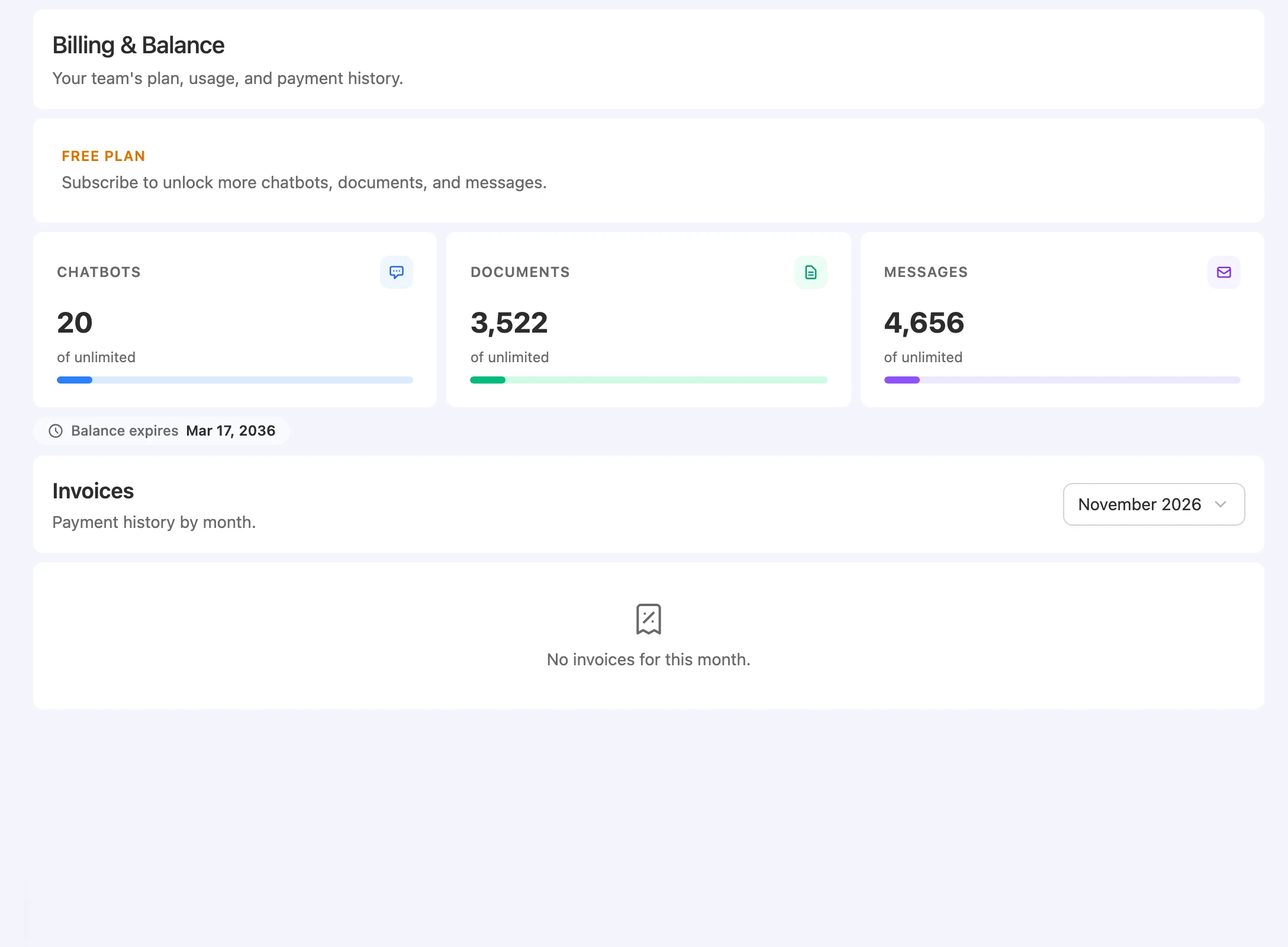
Open Settings > Billing. The Billing & Balance page reads “Your team’s plan, usage, and payment history.” From top to bottom it has the plan card, three usage meters, the balance expiry, and Invoices.
Before you start
- You need Owner or Team Admin to open Billing.
Early access
FluentChat is in early access. New teams start with an allowance instead of a paid subscription, so the plan card shows Free plan and reads “Subscribe to unlock more chatbots, documents, and messages.”
The dashboard doesn’t offer plan selection or checkout. To ask about a larger allowance, contact the FluentChat team through Feedback in the main sidebar.
Plan card
| Card | When it shows |
|---|---|
| Free plan | The team has no active subscription. |
| Current plan | The team has an active subscription. The card shows the plan name and “Member since” with the start date. |
Usage meters
Each meter shows how much the team has used, its allowance, and a percentage bar. The bar turns amber at 70% and red at 90%. When the allowance has no limit, the meter reads of unlimited with no percentage.
| Meter | What it counts |
|---|---|
| Chatbots | Bots in this team. |
| Documents | Documents in the team’s Knowledge Base. A document counts once, however many bots use it. |
| Messages | AI replies used from the team’s allowance, across all bots. |
For exactly what counts as a message, see Usage.
Balance expiry
If your team’s allowance has an end date, Balance expires shows it below the meters. Without an end date, this line doesn’t appear.
After the balance expires, your bots stop generating new AI replies. The Chatbots and Documents allowances also count as zero unless they’re unlimited, so you can’t add bots or sources.
Invoices
Invoices lists “Payment history by month.” Use Select invoice month to pick one of the last 12 months.
| Column | What it shows |
|---|---|
| Date | When the invoice was issued. |
| Description | What it was for. |
| Status | For example, paid or open. |
| Amount | The invoice total. |
| Invoice | View opens the hosted invoice. |
Months without invoices read “No invoices for this month.”
Manage billing
Manage billing appears only for teams with a billing account, and opens the payment provider’s portal. During early access, the portal isn’t available and FluentChat responds “Billing is unavailable during early access.”
Limitations
- There’s no in-app plan purchase. Allowances are set for your team during early access.
- Billing doesn’t show token use. Tokens are on each bot’s Analytics page.
- Billing is per team. Allowances don’t carry over between teams.
Troubleshooting
”You have crossed your message limit. Please upgrade your plan.”
Possible cause: The team used its whole Messages allowance, so new AI replies are refused.
Solution: Contact the FluentChat team through Feedback to ask about more messages.
”Please buy a subscription or your trial has expired.”
Possible cause: The team’s balance has expired, or it has no message allowance.
Solution: Check Balance expires on this page, then contact the FluentChat team through Feedback.
”Chatbot limit reached. Please upgrade your plan.”
Possible cause: The team has as many bots as its Chatbots allowance.
Solution: Delete a bot you no longer need, or ask for a larger allowance.
”Document limit reached. Contact an administrator for more credits.”
Possible cause: The Knowledge Base has reached the Documents allowance.
Solution: Remove sources you don’t need, or ask for a larger allowance.
I can’t find Billing in the sidebar
Possible cause: Your role isn’t Owner or Team Admin.
Solution: Ask your team’s Owner or a Team Admin to check Billing.